
Bulk Generate AI Team Headshots
Turn existing staff photos into coordinated team headshots with the same studio backdrop, lighting and crop. See six examples and copy the editing prompt.
Open this exampleSix staff portraits with a shared studio look
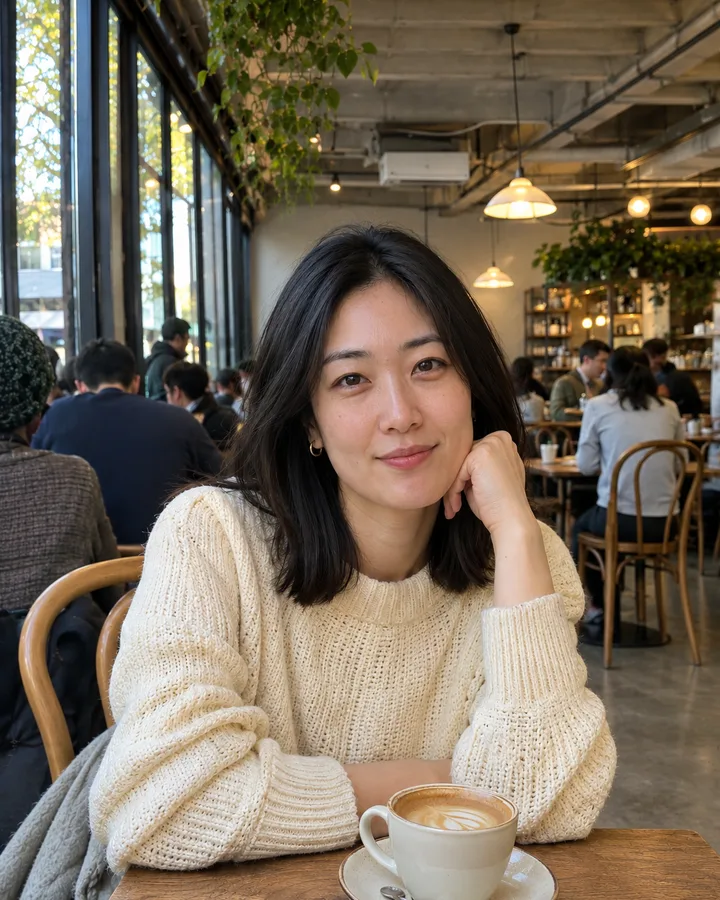
Original
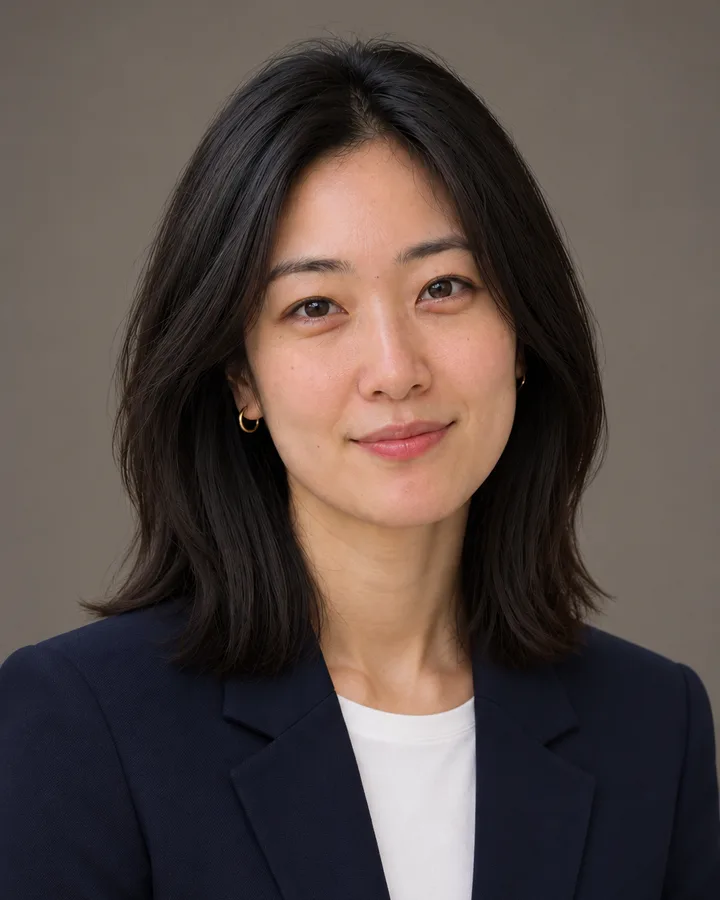
Edited
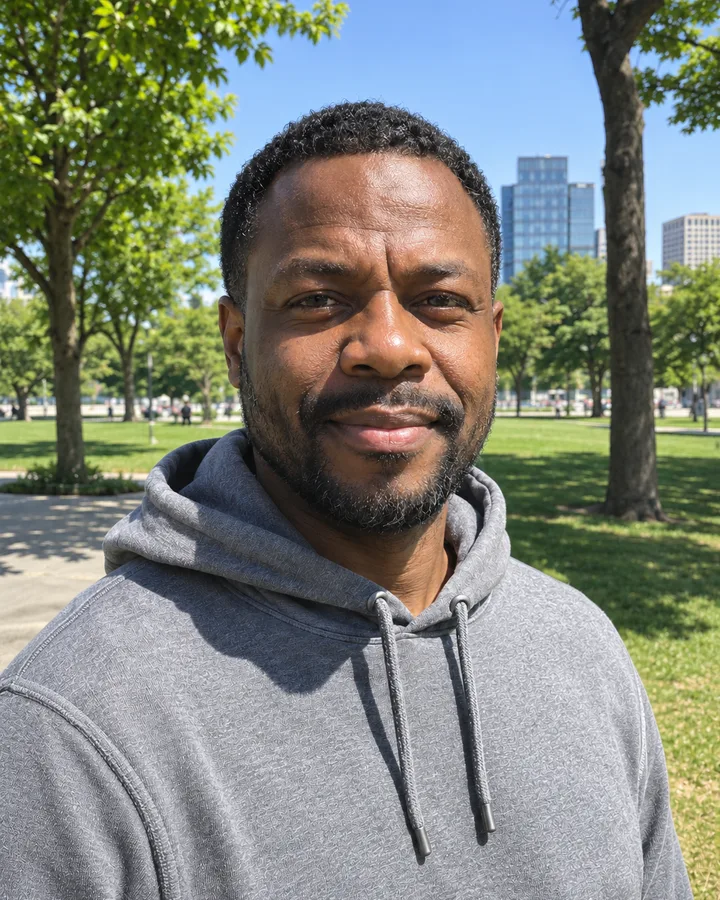
Original
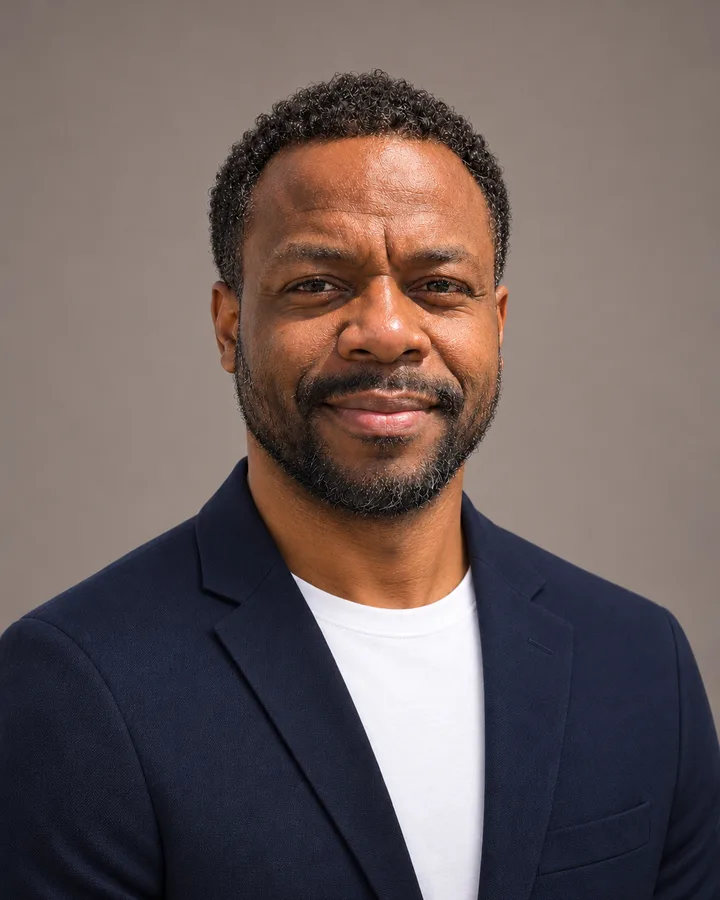
Edited
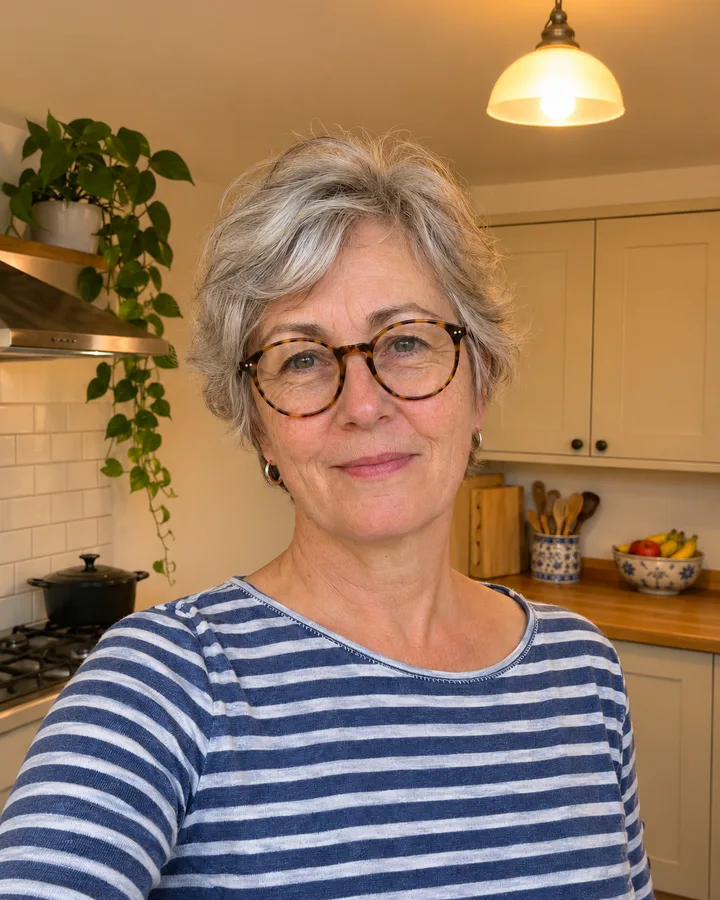
Original
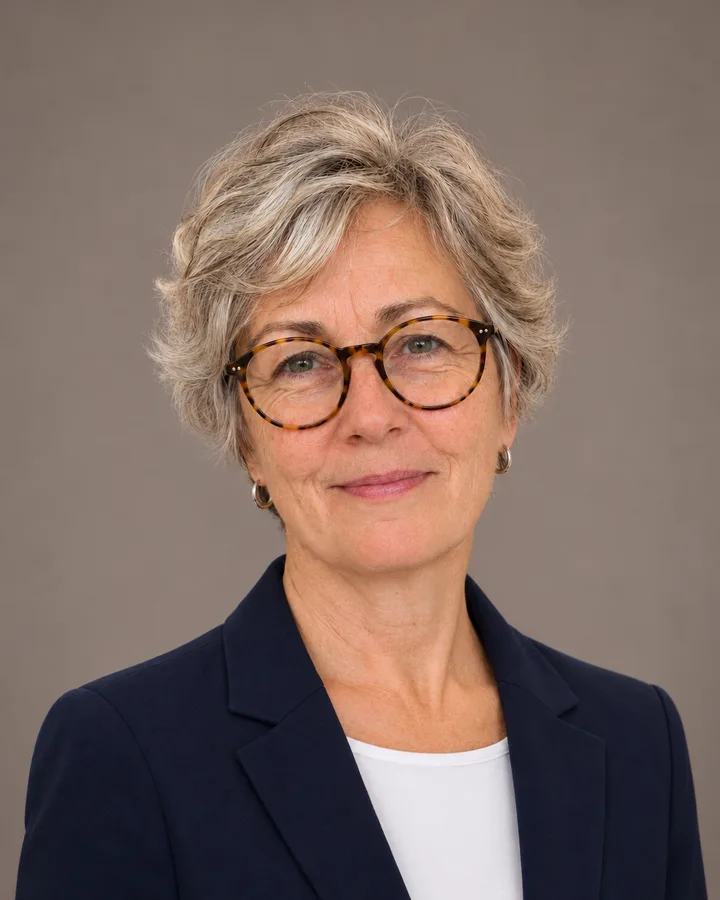
Edited
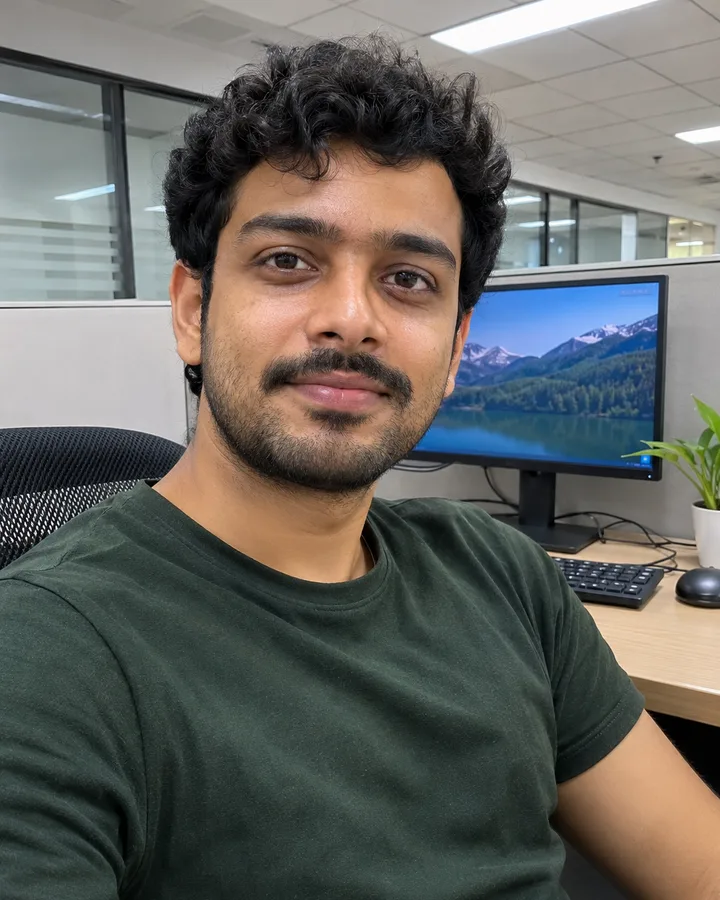
Original
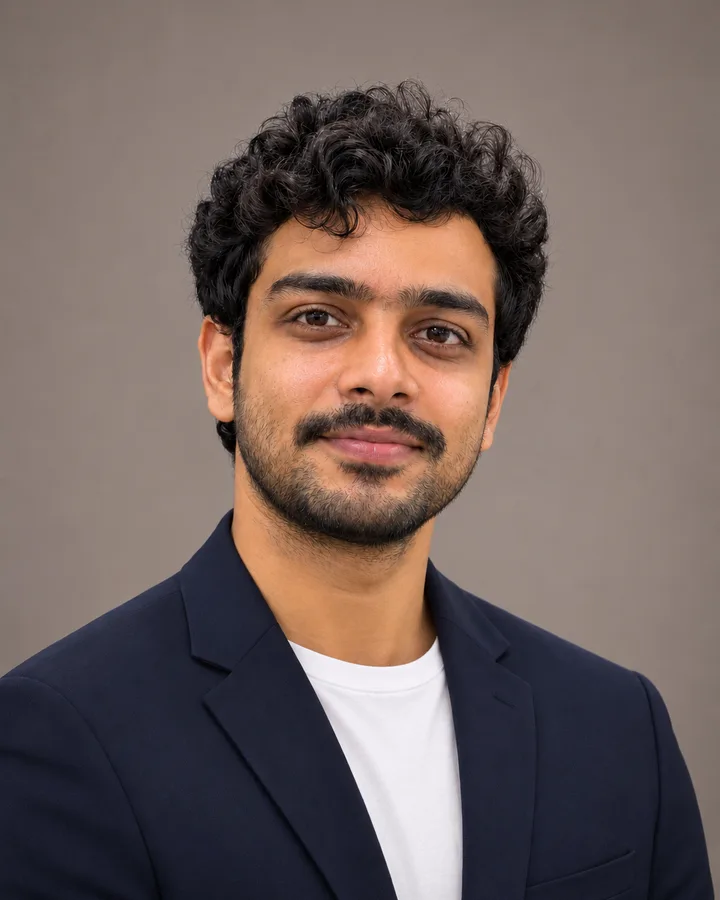
Edited
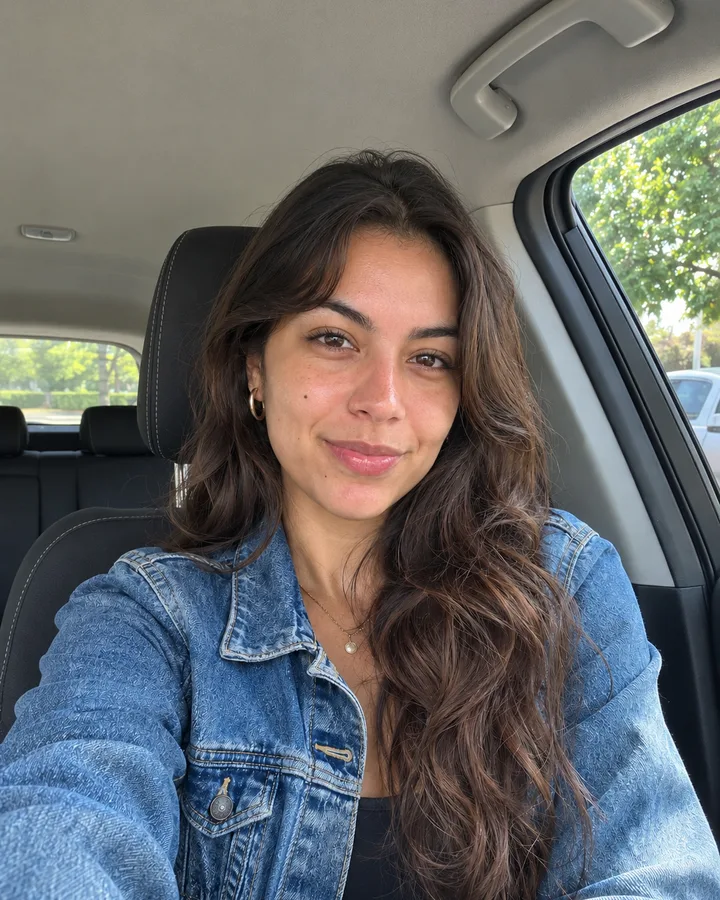
Original
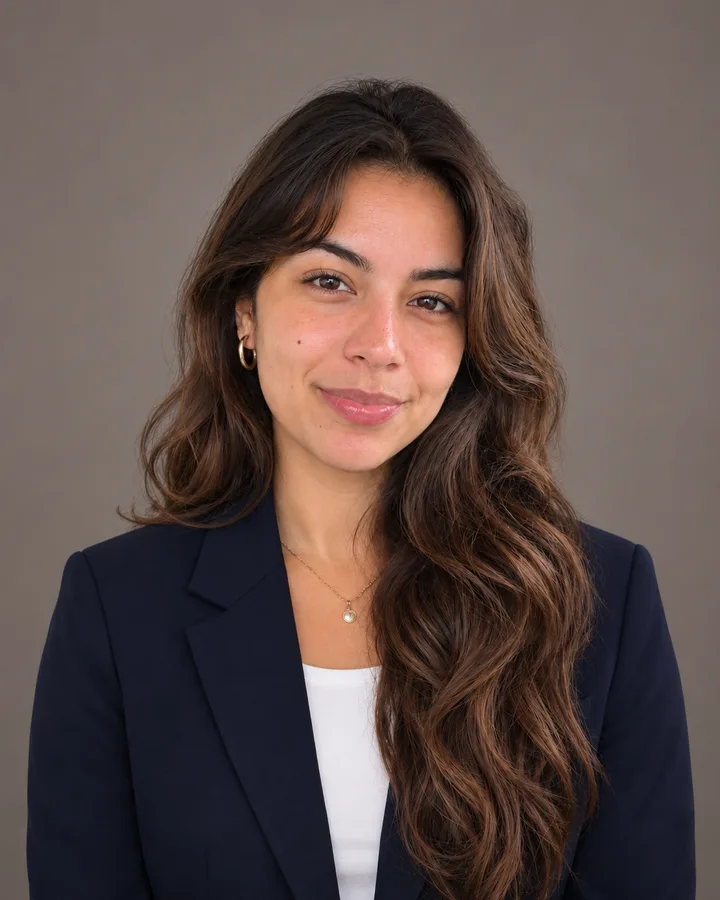
Edited
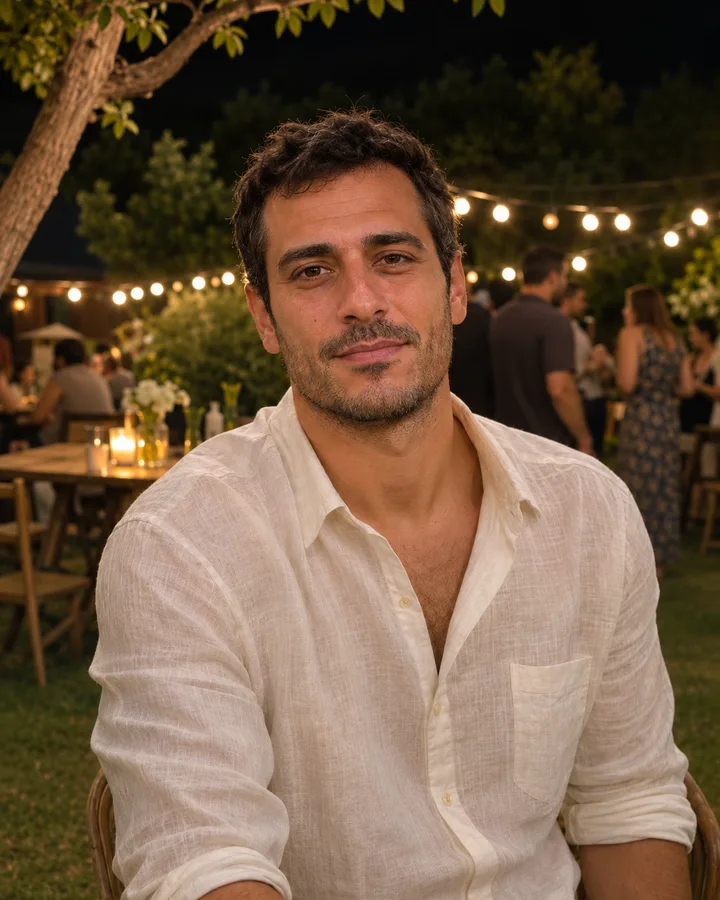
Original
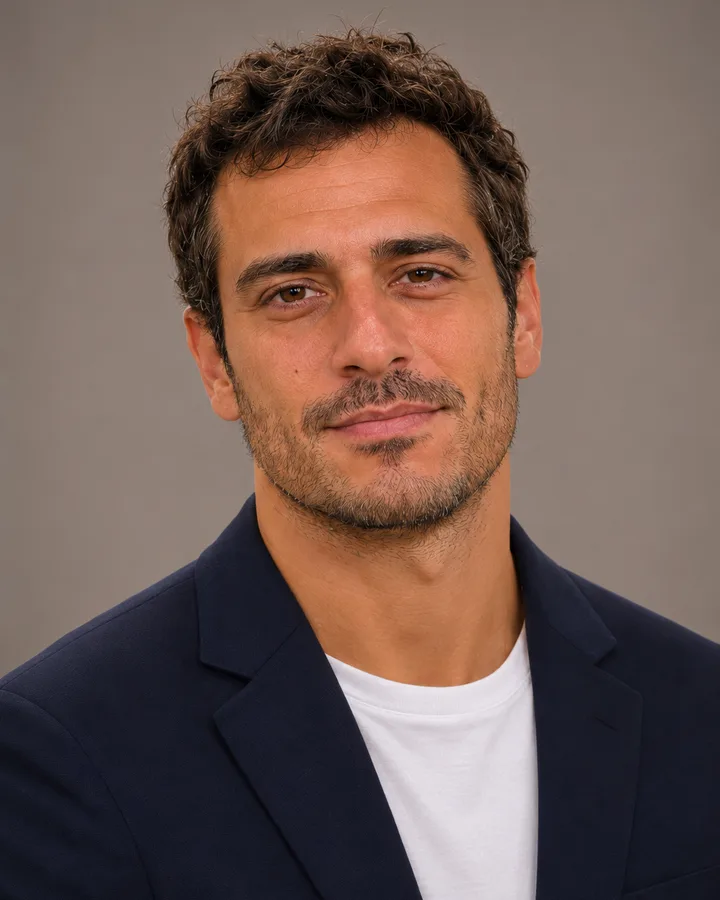
Edited
Prompt to copy
Make this a professional head-and-shoulders portrait, 4:5, with a plain warm grey studio backdrop, soft even light and a simple navy blazer over a white top. Preserve the face, age, hairstyle, skin tone, expression and eyewear.
How to make your own
Collect one clear photo per colleague
Choose photos with visible faces at a similar camera angle. Ask for a replacement when hair or another person obscures the face.
Apply the same studio brief
Upload the portraits to the Bulk Image Editor. Set a 4:5 crop and reuse the same prompt for the background, lighting and outfit.
Review the set as a directory grid
Preview portraits from a few different sources. Compare eye line, head size and skin tone side by side before running the rest.
What to check in your results
- Check eyewear, hairlines, freckles and other identifying details against the originals.
- Get each colleague’s approval before publishing their portrait.
Frequently asked questions
Can everyone keep their own outfit?
Yes. Replace the blazer instruction with “keep clothing and accessories unchanged,” then apply the same lighting and crop to the whole set.
What makes a good source photo?
Use a sharp, well-lit head-and-shoulders photo with room around the head for the final crop.