
Alternatives · Checked November 25, 2026
Photoroom Batch alternative for edits you describe in your own words
Photoroom is one of the best tools for cutting out products and putting them on clean backgrounds, and its Batch mode does that for many photos at once. This page is for when you need a different kind of edit on a whole folder: one you describe in a sentence, run on frontier image models.
The short answer
Choose Photoroom for fast, cheap background removal, shadows and resizing. Choose BulkGenio when the edit is something you would have to explain to a designer — a new scene, a model wearing the product, a consistent brand look — and you need it on dozens or hundreds of photos.
BulkGenio vs Photoroom at a glance
| BulkGenio | Photoroom | |
|---|---|---|
| How you describe the edit | Your own words in any language; AI writes the full instruction | Photoroom editing tools: background removal, AI backgrounds, shadows, resize and more |
| Image models | GPT Image 2 by default; GPT Image 2.6, Nano Banana Pro, Nano Banana 2.1, and Seedream 5.5 also available | Photoroom’s own models |
| Photos per batch | Up to 200, run as many batches as you need | Monthly batch export caps by plan (see sources) |
| Price | Pay per image: €0.08–€0.09 with GPT Image 2 at standard quality. 20 free credits on sign-up | Pro $12.99/month or about $7.50/month billed yearly; Max $34.99/month or about $20.99/month billed yearly |
| Preview before paying for the batch | Preview 3 photos first, then run the rest | Edit and review in the app before export |
| Mobile app, templates, Shopify integration | No — web only | Yes |
Choose Photoroom if…
- You mainly need background removal, white backgrounds, shadows or resizing
- You edit on your phone or want ready-made templates
- You want a fixed monthly price for a steady volume of simple edits
Choose BulkGenio if…
- Your edit is easier to describe than to click together, for example “put each product on a light oak shelf with soft morning light”
- You want GPT Image 2 or Nano Banana Pro quality on a whole catalog
- You run large, irregular batches and prefer to pay per image
What BulkGenio did with six phone photos
Six ordinary phone photos and one instruction: "Amazon main image: pure white background, square, product centred." These are the example results from the bulk image editor, unretouched.
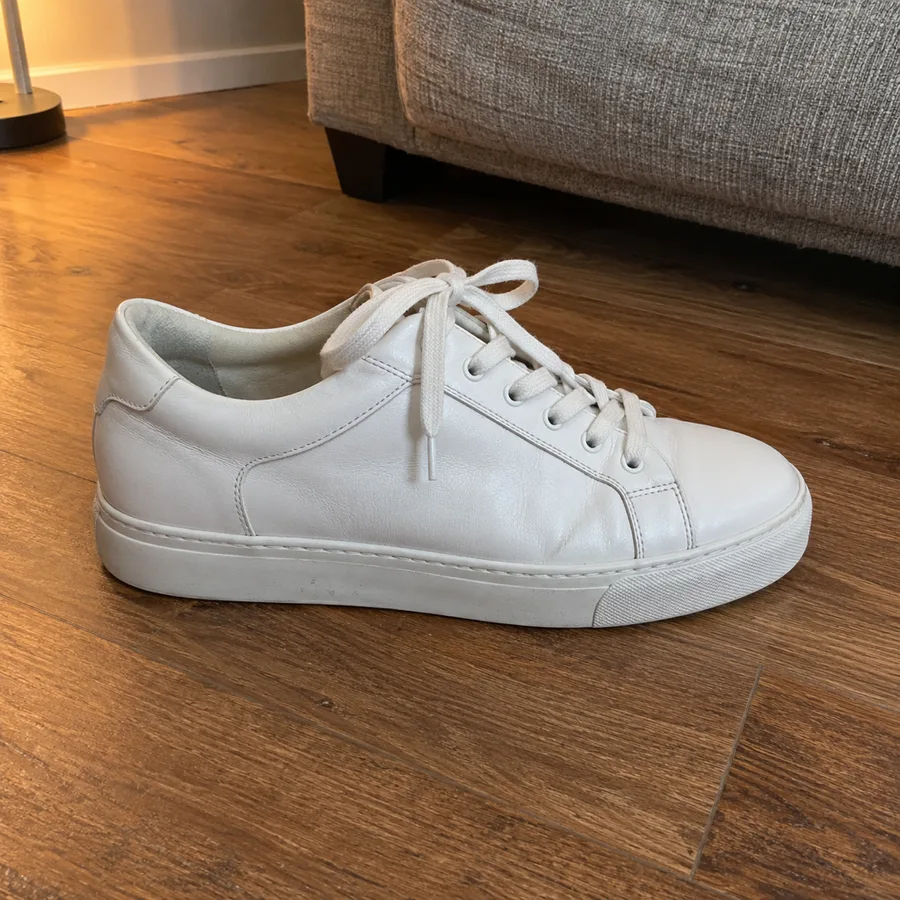
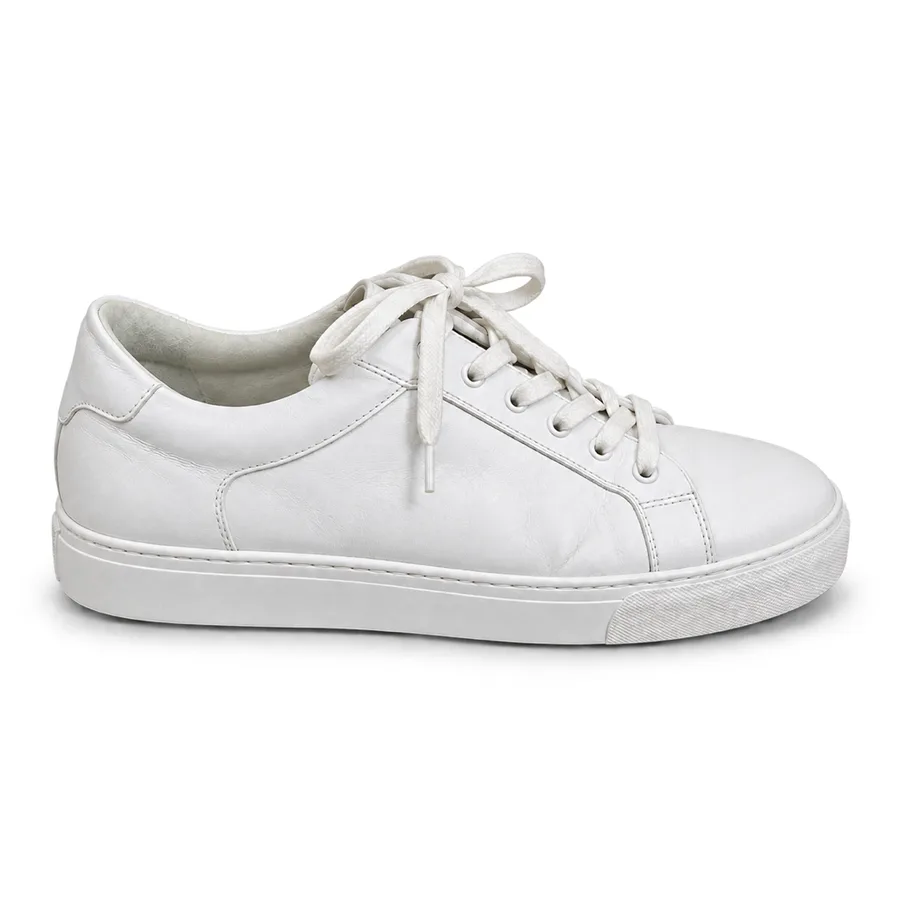
Before → after


Before → after
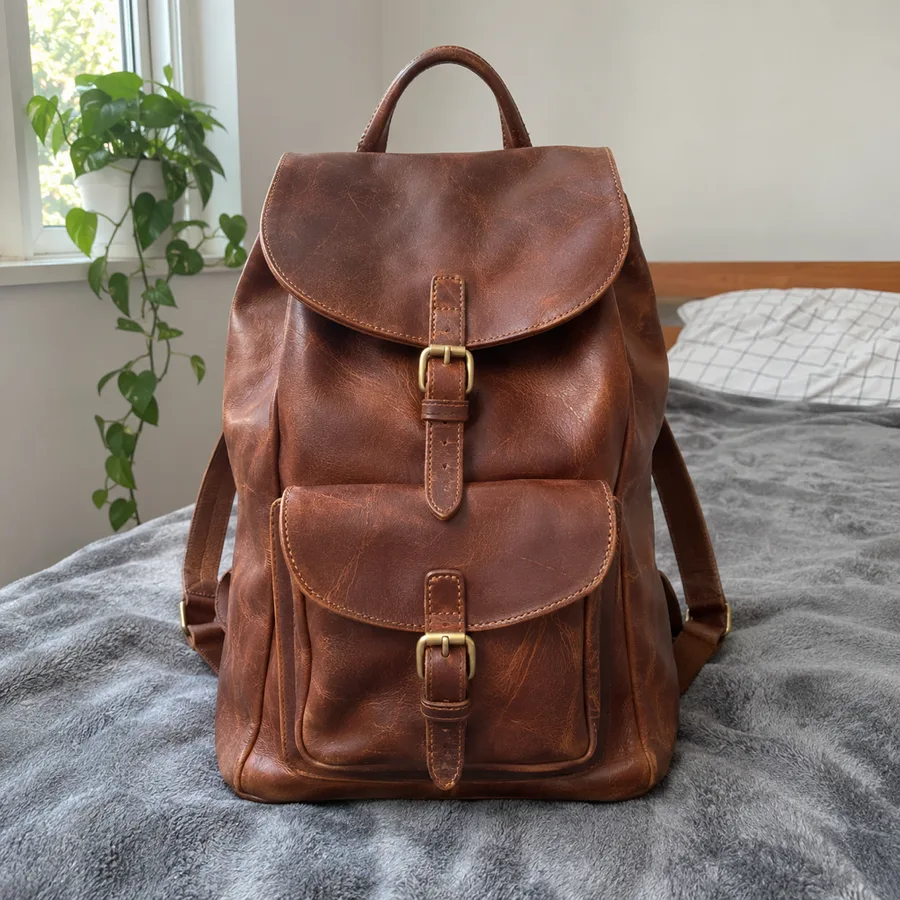
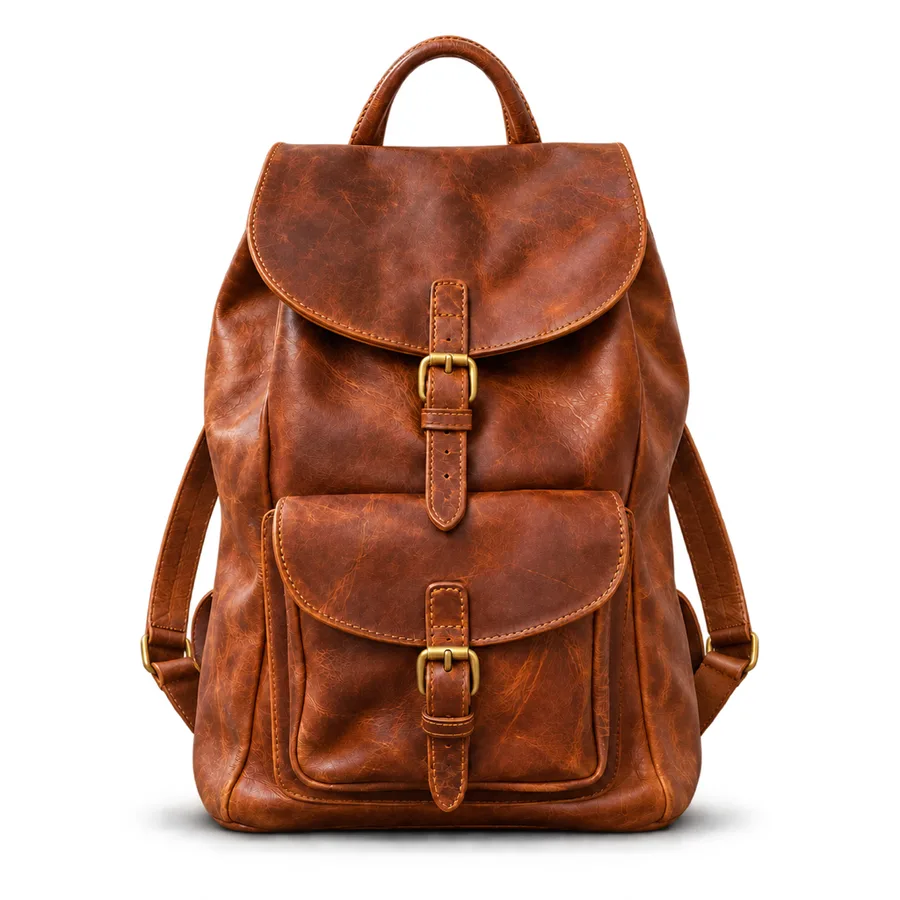
Before → after
Try it on your own photos
Preview 3 images free before running the whole batch.
FAQ
Is BulkGenio a full replacement for Photoroom?
No. Photoroom has a mobile app, templates, a Shopify integration and very fast background removal, which BulkGenio does not try to match. BulkGenio is for bulk edits you describe in words, run on general image models.
Can BulkGenio make Amazon white-background main images?
Yes. Upload the photos to BulkGenio’s bulk image editor and pick the Amazon main image suggestion, or describe it yourself. You can check the results for free with BulkGenio’s Amazon main image checker.
How much does a 200-photo batch cost on BulkGenio?
With GPT Image 2 at 1K standard quality, 200 photos use 1,000 credits, about €16.00 on the monthly plan or €18.00 with one-time packages. BulkGenio shows the exact cost before you start.
Does the AI keep my product unchanged?
The instruction asks the model to keep the product exactly as it is, and most results do. Generative models can still change small details such as label text, so preview 3 photos first and check the results before publishing.